Native ad assets
Note
The library includes both required and optional assets. The advertising rules only stipulate the use of the required assets. However, in practice, layouts with a complete set of assets yield higher click-through rates. Because of this, we recommend using designs that include all available assets.
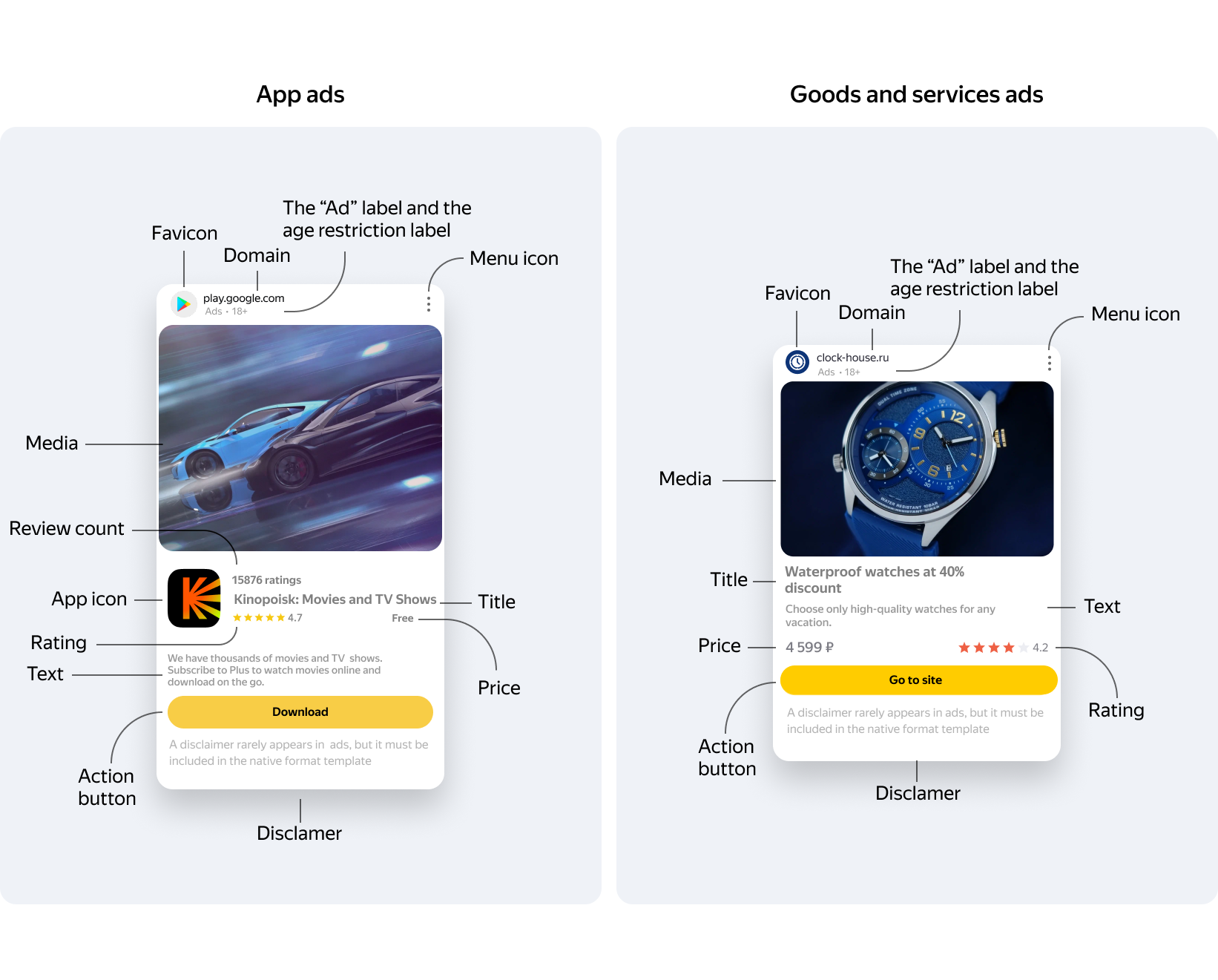
|
Ad asset |
Asset |
Type |
Mandatory |
|
Title |
titleLabel |
UILabel |
Yes |
|
Domain |
domainLabel |
UILabel |
Yes |
|
Disclaimer |
warningLabel |
UILabel |
Yes |
|
The “Ad” label and the age restriction label |
sponsoredLabel |
UILabel |
Yes |
|
Menu icon |
feedbackButton |
UIButton |
Yes |
|
Action button |
callToActionButton |
UIButton |
Yes |
|
Media |
mediaView |
NativeMediaView |
Yes |
|
App icon |
iconImageView |
UIImageView |
Yes, for in-app ads |
|
Price |
priceLabel |
UILabel |
Yes, for in-app ads |
|
Favicon |
faviconImageView |
UIImageView |
No |
|
Review count |
reviewCountLabel |
UILabel |
No |
|
Rating |
ratingView |
UIView |
No |
|
Text |
bodyLabel |
UILabel |
No |
The list of required assets defines the set of data that must be assigned a View for rendering when those assets are present.
Tip
We recommend using a layout that can fit the full set of required and optional ad assets.